TradingView → MT5 • API key controlled • Transparent billing
Automate your MT5 execution from TradingView alerts.
GEE Algo provides the missing bridge: your TradingView strategy triggers a webhook,
your MT5 EA receives it, and trades execute automatically using your API key and credits.
Starter supports 1 MT5 account. Pro supports 2 MT5 accounts using the same API key.
✓ Dashboard + API key rotation
✓ Credits billing (1 open + 1 close)
✓ Subscriptions or top ups
✓ Optional VPS for 24/7 uptime
Built for control (not “black box”)
You decide how aggressive or conservative the execution is. The MT5 EA includes adjustable settings
(lots, SL/TP behavior, scaling rules). If you rotate your API key, you simply update the EA input.
Secure API key
Your account uses an API key to authorize alerts. Rotate anytime from the dashboard.
Transparent billing
Credits are deducted per trade action. No hidden “seat fees” or confusing usage math.
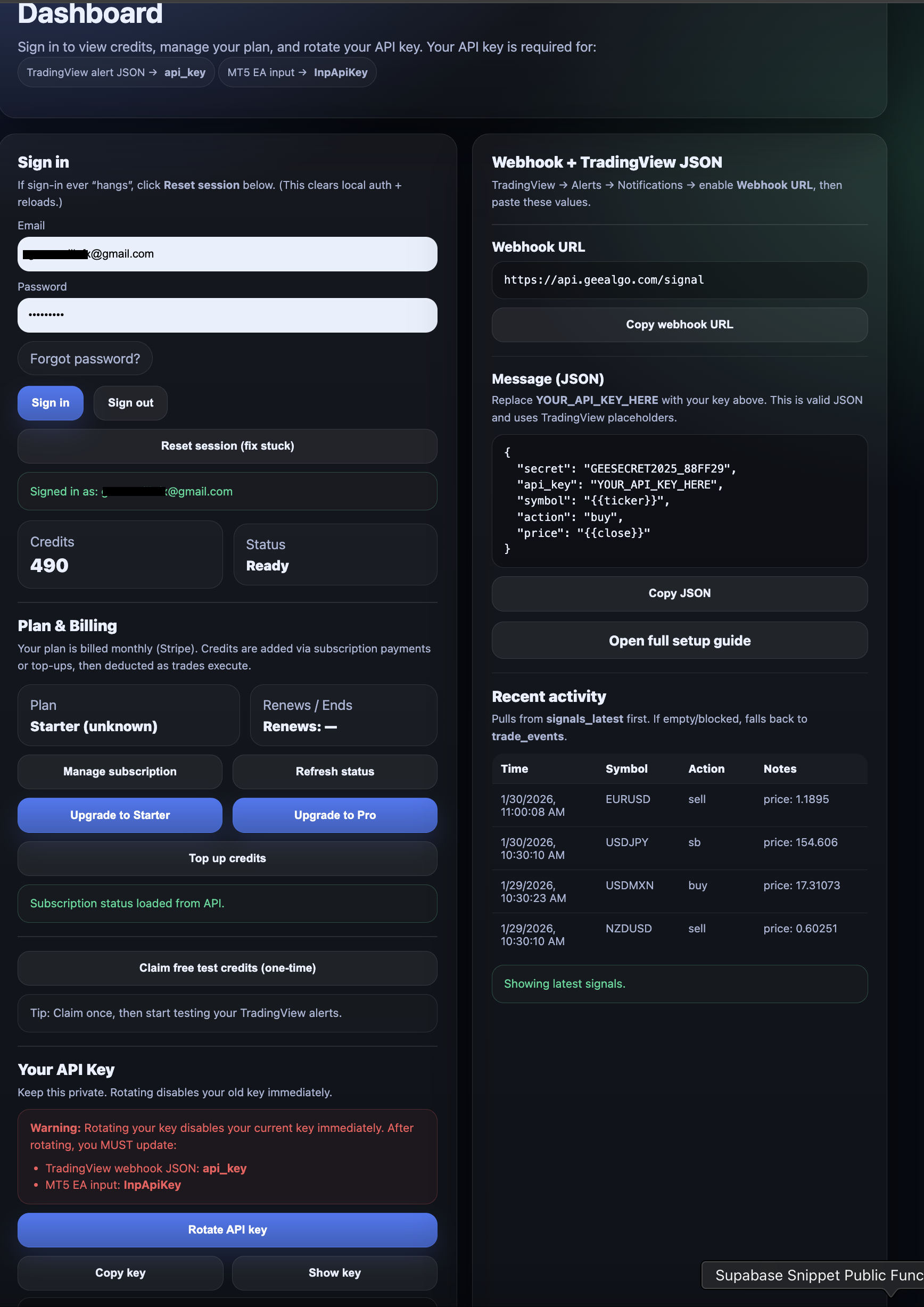
Dashboard shows your API key, webhook template, credits, and plan status.
How it works
Simple flow. Your TradingView alert sends a webhook. GEE Algo validates the API key and forwards the signal.
Your MT5 EA executes the trade.
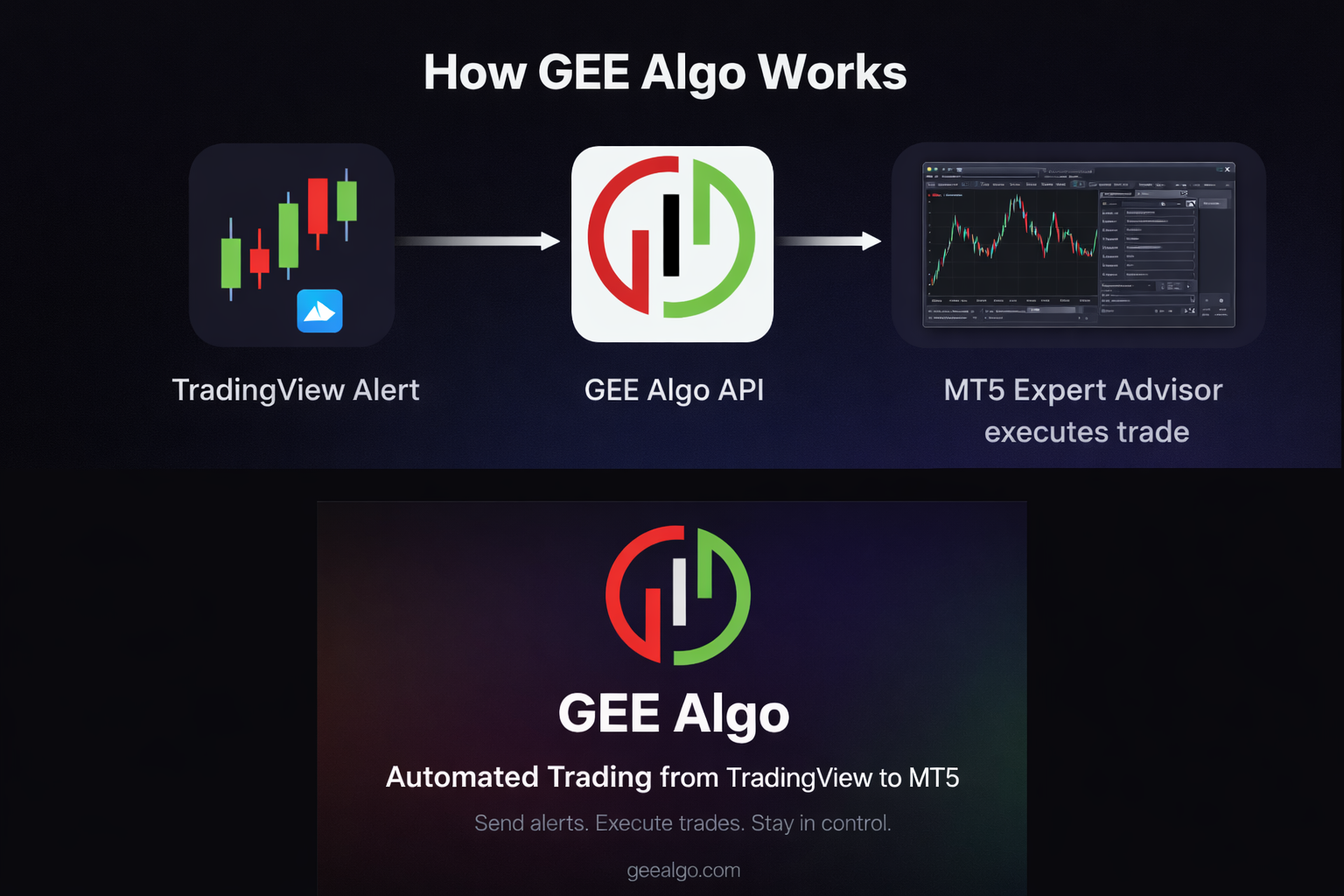
Tip: want 24/7 execution? Run MT5 on a VPS. Otherwise, your personal PC works.
1
Create your account
Sign up, verify email, then open the dashboard to view your webhook + API key.
2
Connect TradingView
Paste the webhook URL + JSON into your TradingView alert (one-time setup).
3
Run MT5 + EA
Install the EA, paste your API key into InpApiKey, and keep MT5 running.
Pricing
Pick a plan based on how many MT5 accounts you want to run and whether you prefer monthly billing or top-ups.
Starter
Best for 1 MT5 account.
Use the dashboard to manage billing and rotate your API key anytime.
Pro
Best for 2 MT5 accounts using the same API key.
Ideal for running a second terminal (or a second broker login).
Note on API key rotation: If you rotate your API key in the dashboard, you must update the MT5 EA input
(InpApiKey). Rotating disables the old key immediately.
 GEE Algo